

Why Remote Control Unreal Editor?
The Remote Control Unreal Editor allows you to access and interact with the Unreal Editor remotely through your browser on our platform.
This configuration enables:
-
Seamless remote development
-
Efficient testing
-
Convenient debugging
-
No need for direct access to the local machine running Unreal Engine
Follow the steps to set up remote control Unreal Editor:
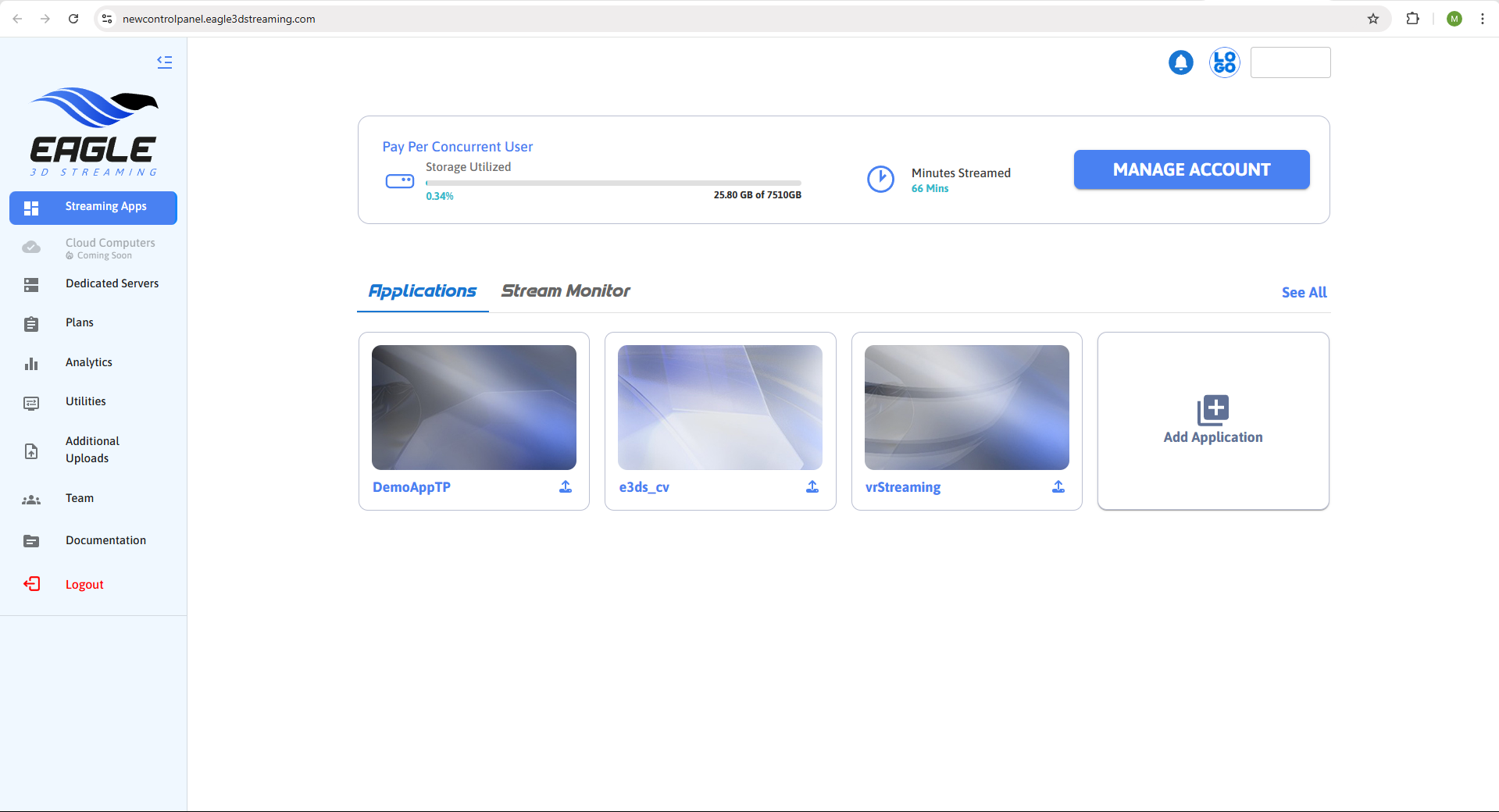
Step 1. Login to Control Panel
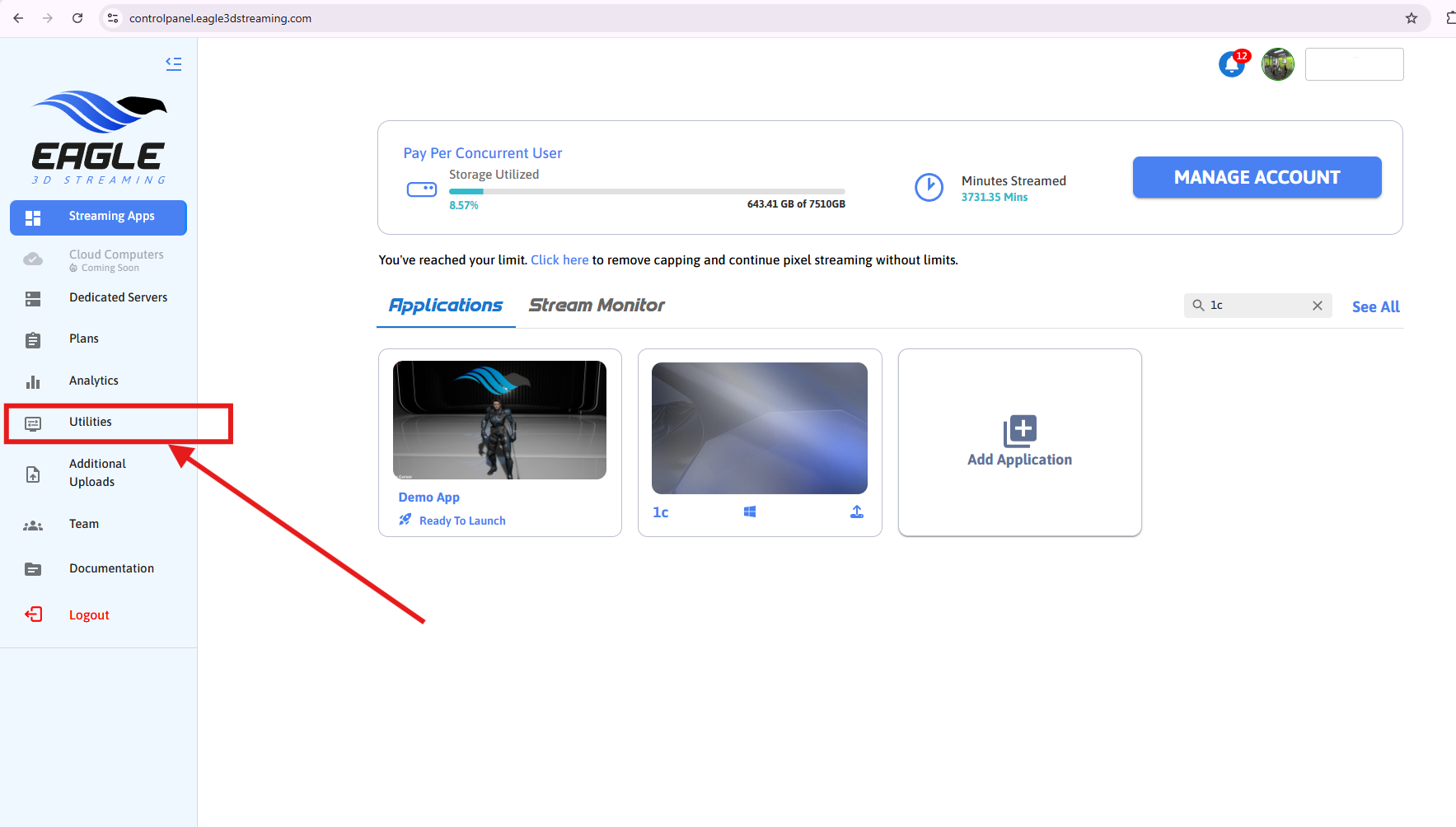
Step 2. Navigate to Utilities section
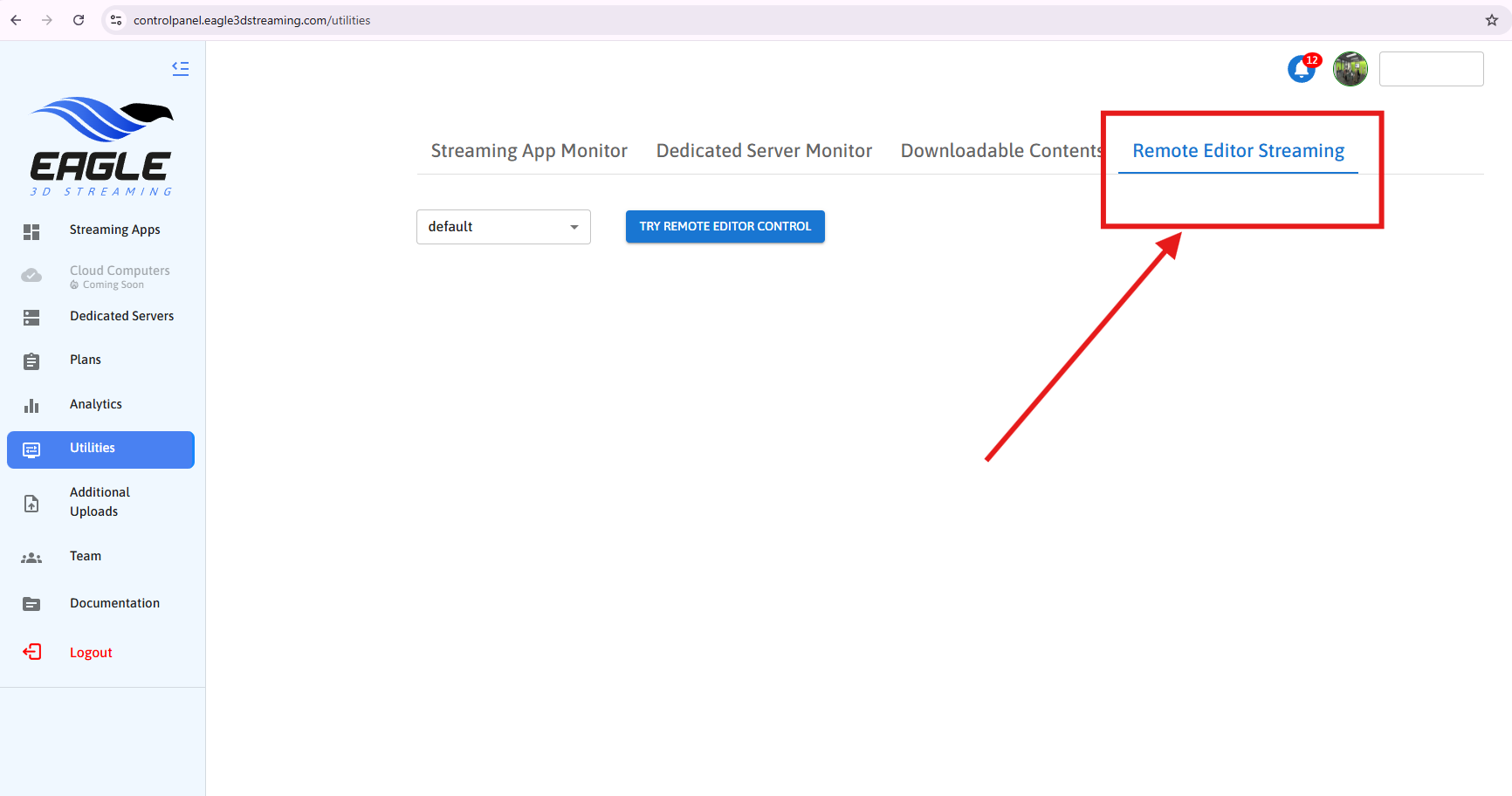
Step 3. Open the Remote Editor Streaming Tab
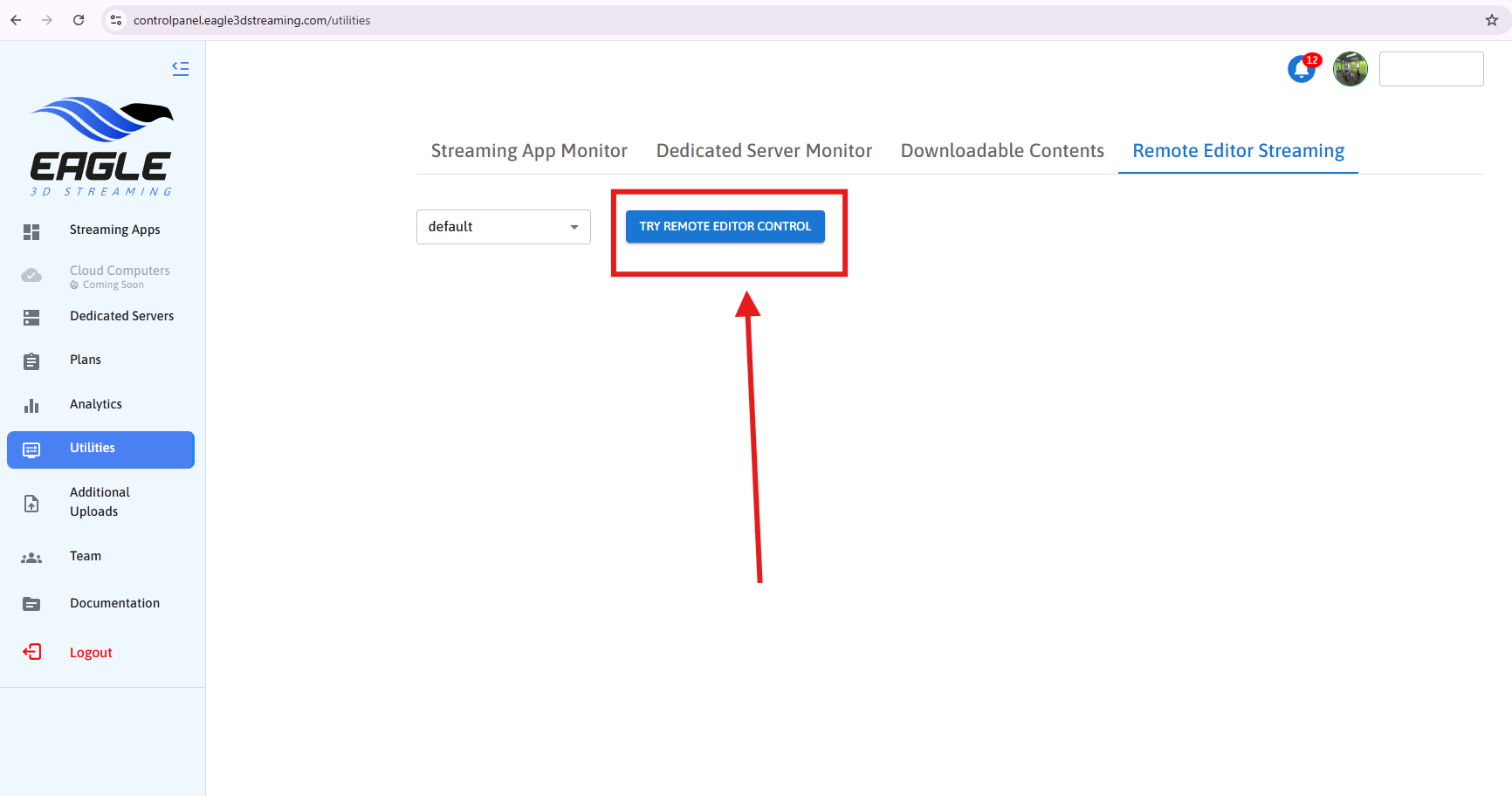
Step 4. Click on TRY REMOTE EDITOR CONTROL
Step 5. Copy the Signaling Server URL
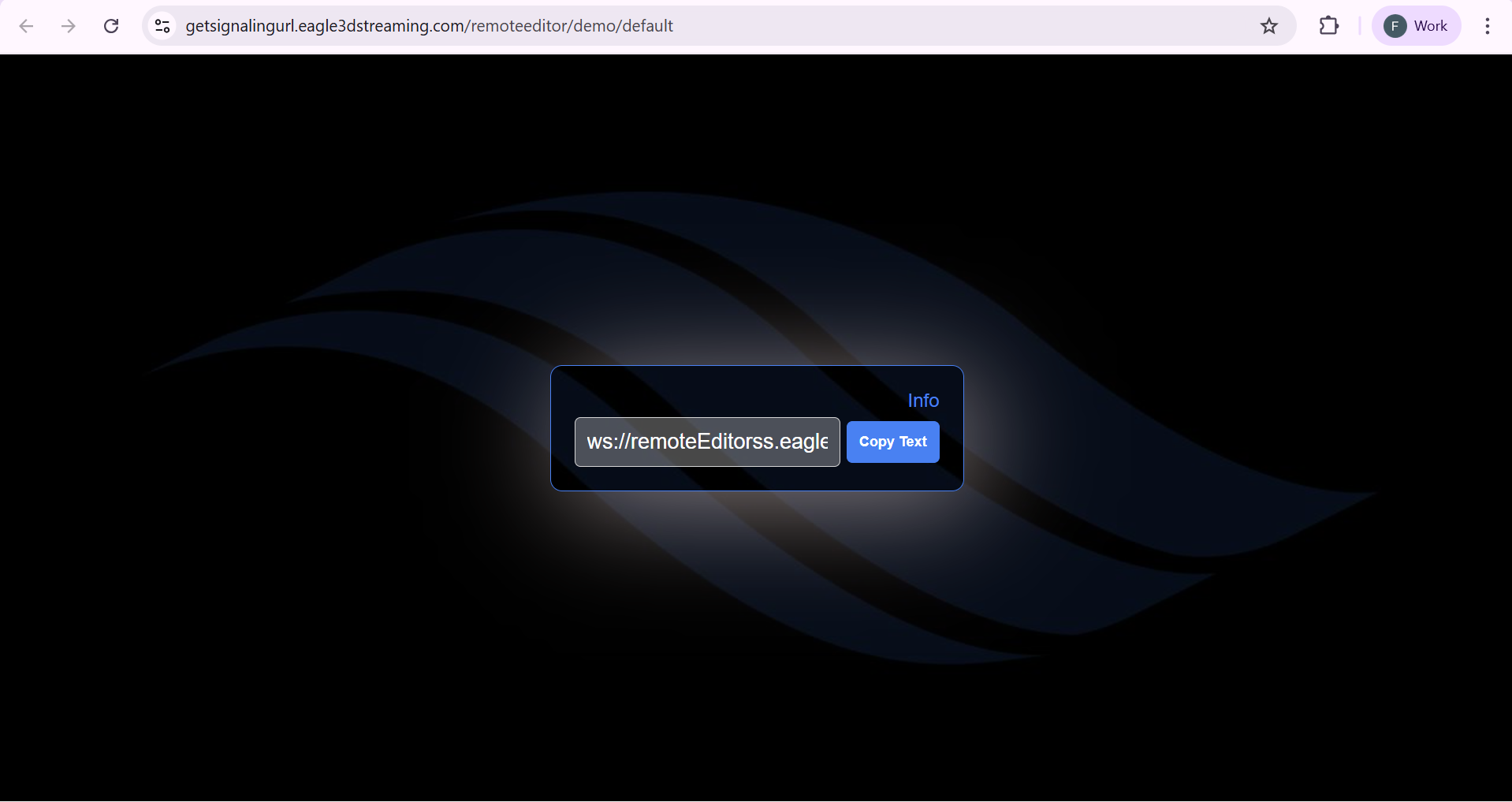
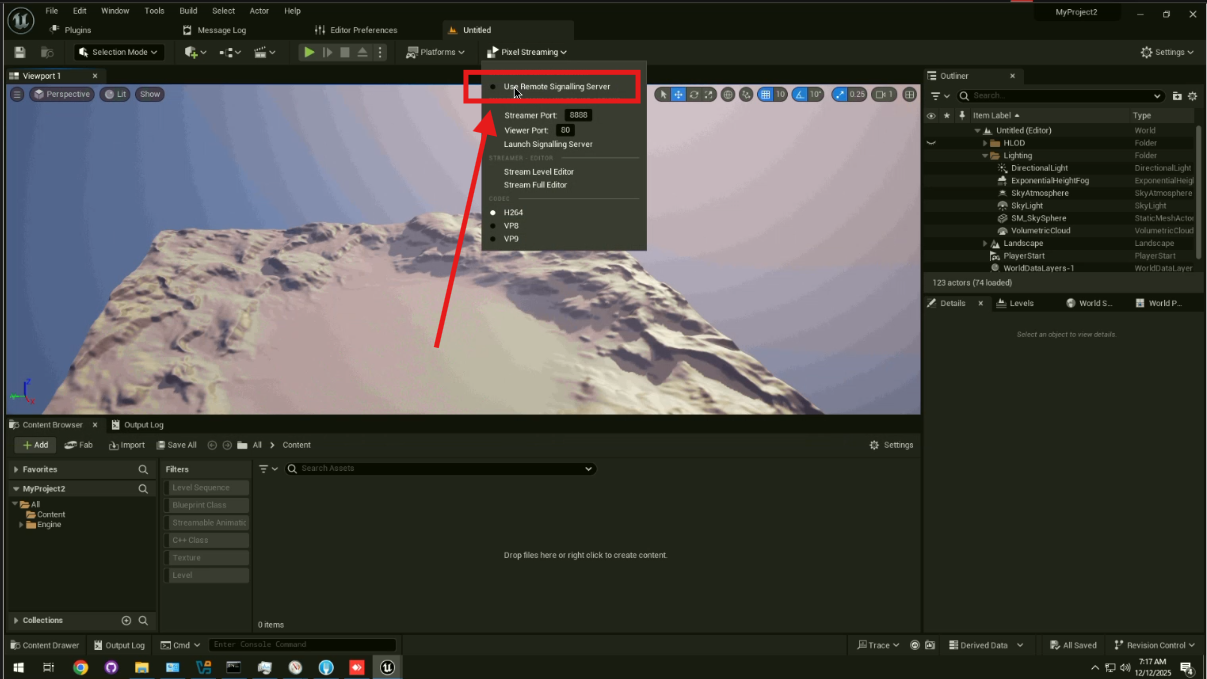
Step 6. Enable Remote Signaling Server in Unreal Editor
Open your Unreal project in the Unreal Editor and enable: Use Remote Signaling Server
Make sure you also enable the Pixel Streaming plugin to use this feature.
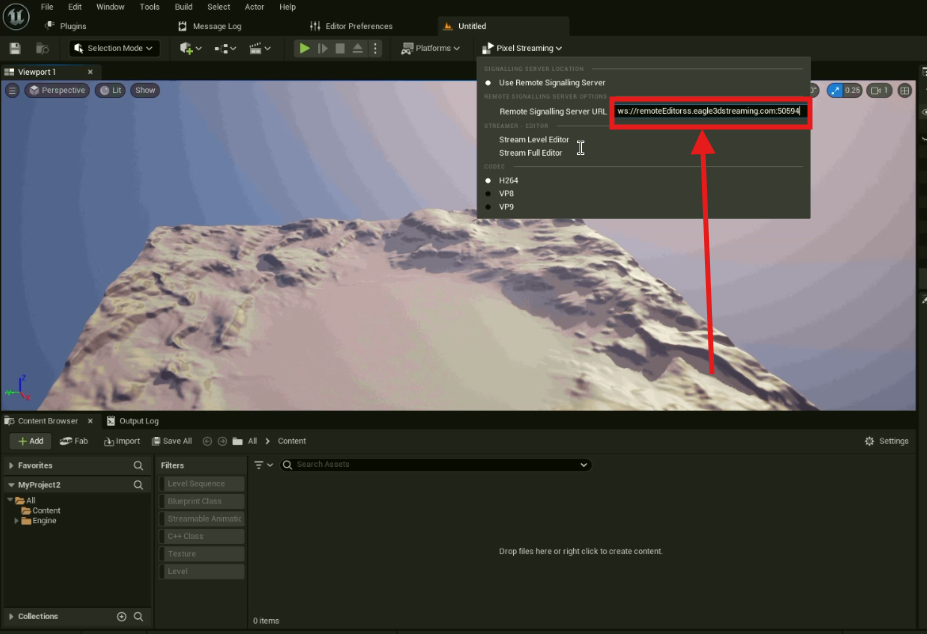
Step 7. Paste the Signaling Server URL
Paste the URL you copied in Step 5 into the Remote Signaling Server URL field.
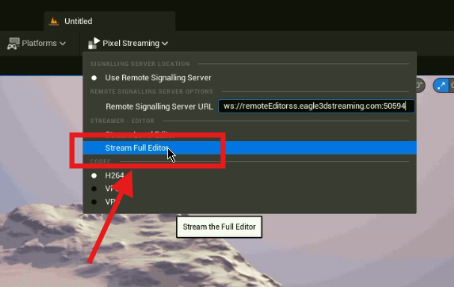
Step 8. Start Streaming the Editor
Click Stream Full Editor
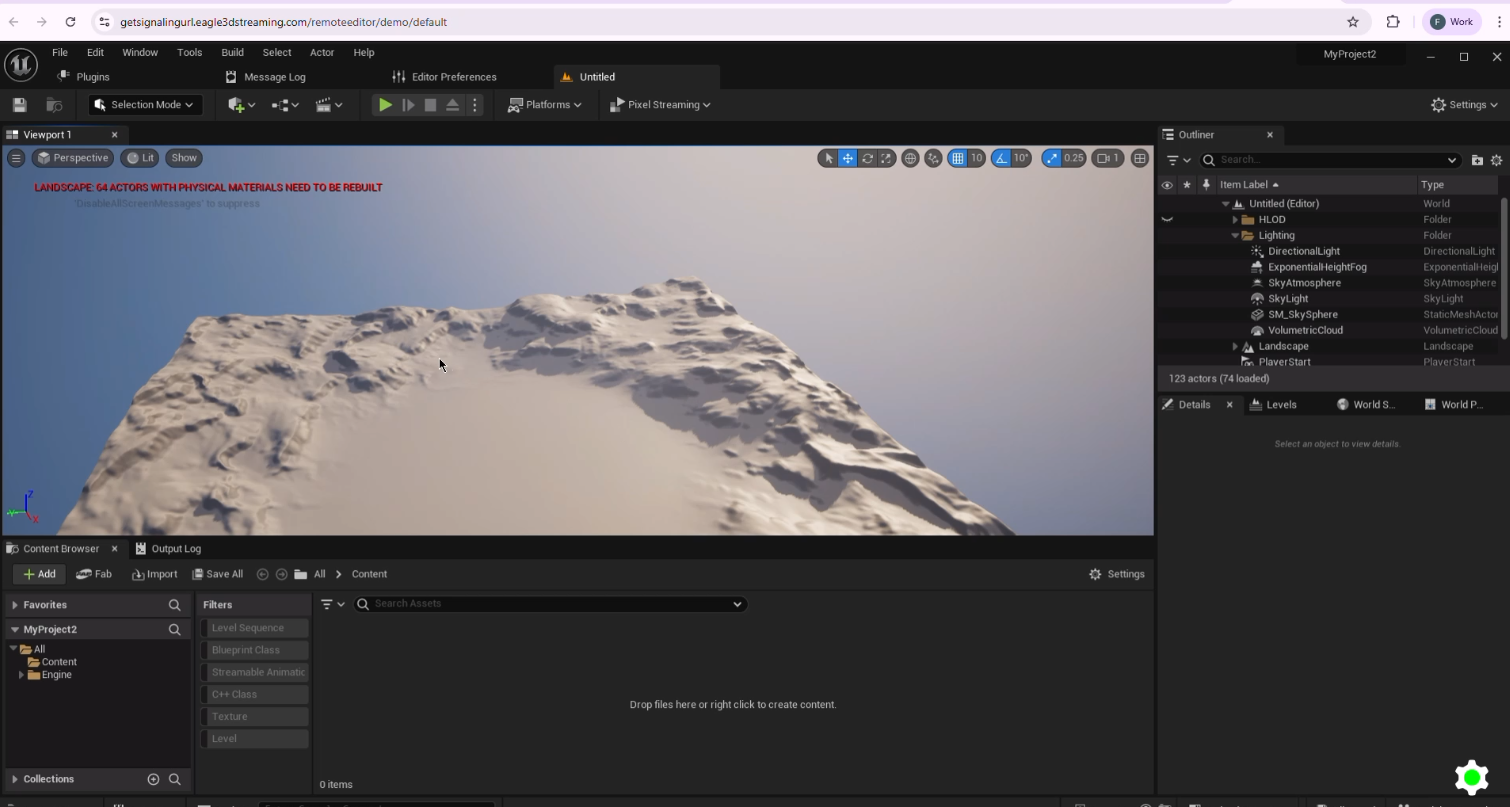
Step 9. Control Unreal Editor from the Browser
Return to your browser and interact with the Unreal Editor remotely.
Important: After ending a streaming session, you’ll need to restart the Unreal Engine Editor before starting a new session using Remote Control Unreal Editor.
Controlling a remote Unreal Editor from the browser, as shown in the video below:
Need help?
🛠️ Contact our Support Team
💬 Join the Community on Discord
Follow us on:
Facebook | GitHub | LinkedIn | YouTube