

Learn to copy and paste data from the Clipboard during runtime.
Copy Instructions
-
Go to Booth 14, a UMG will appear.
-
Type Something in the white space in the UMG and press the Copy Button.
-
Your typed text is now copied to the clipboard.
Check the video below to copy a text in the Clipboard.
Blueprint Code
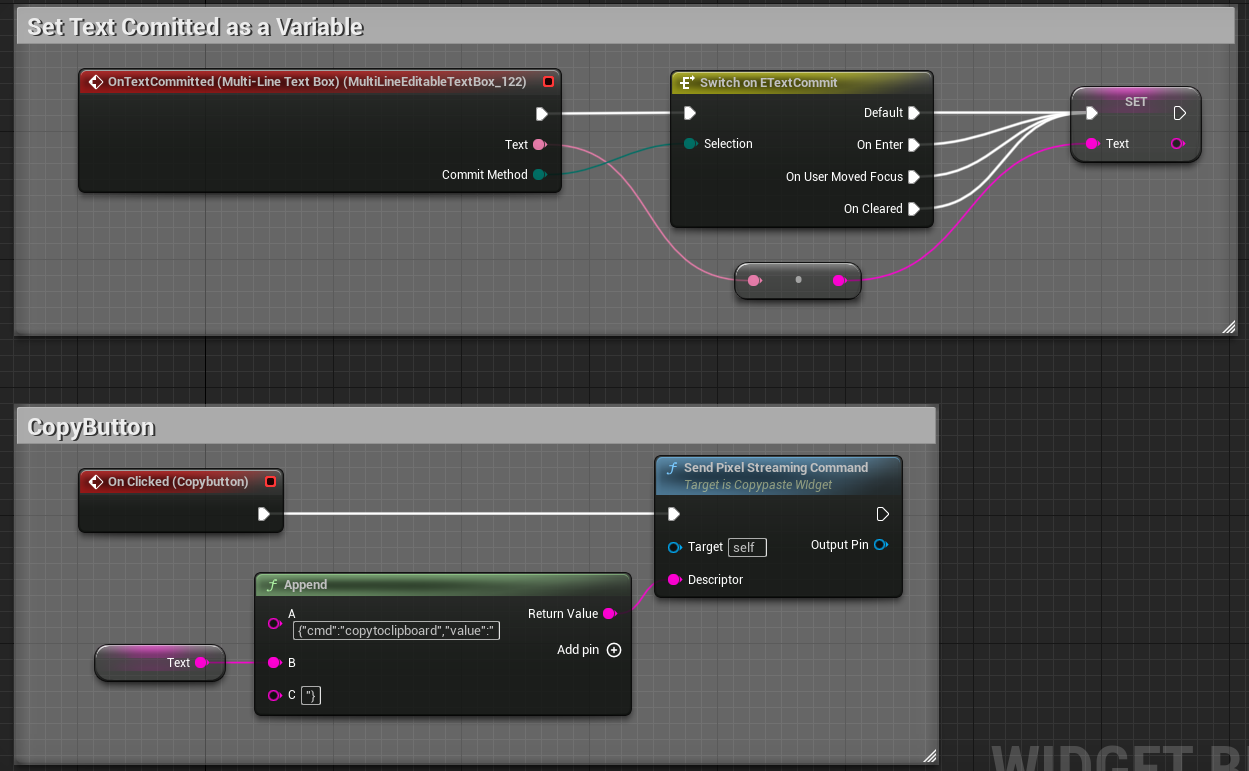
Send the below Command:
{"cmd":"copytoclipboard","value":"“}
Paste Instructions
-
Go to Booth 14, a UMG will appear.
-
Make sure you have copied something in your clipboard and press the Paste Button.
-
Your clipboard text is now Pasted to the UMG.
The video below displays how to paste your Clipboard text.
Blueprint Code
Send the below Command:
{"cmd":"sendClipBoardData"}
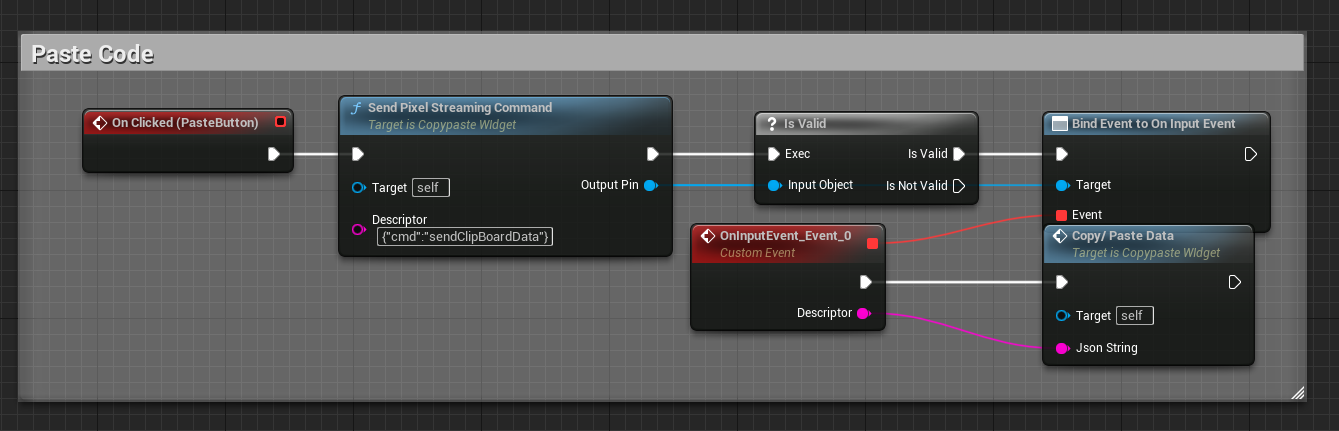
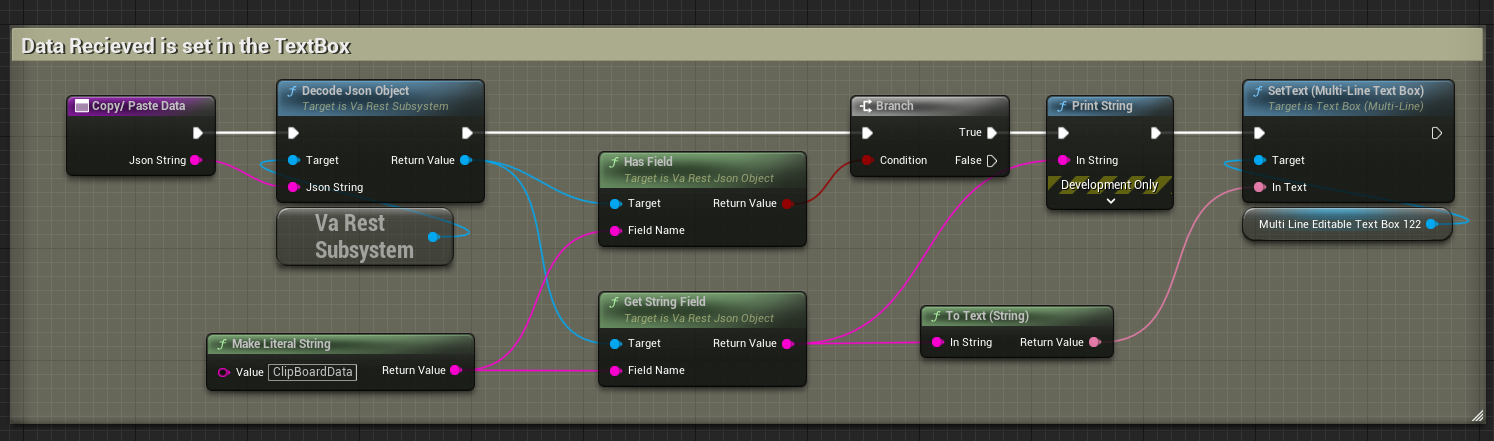
When the Paste Button is pressed, this code below is executed. The Copy/Paste Data Function is below:
Need help?
If you need any assistance, feel free to reach out through any of the following channels:
🛠️ Support Portal: Contact Our Support Team
💬 Discord Community (Faster Support): Join Our Discord Community
📧 Email Support: support@eagle3dstreaming.com
Follow us on: